x-rpd:: data components.
Themes
A theme is the look of the admin area: the HTML shell, sidebar, topbar, login page and colours.
It replaces the bundled look without touching your modules or the
Click a theme to try it: this site and the live demo switch to it for your session.
Active now: Bundled theme.
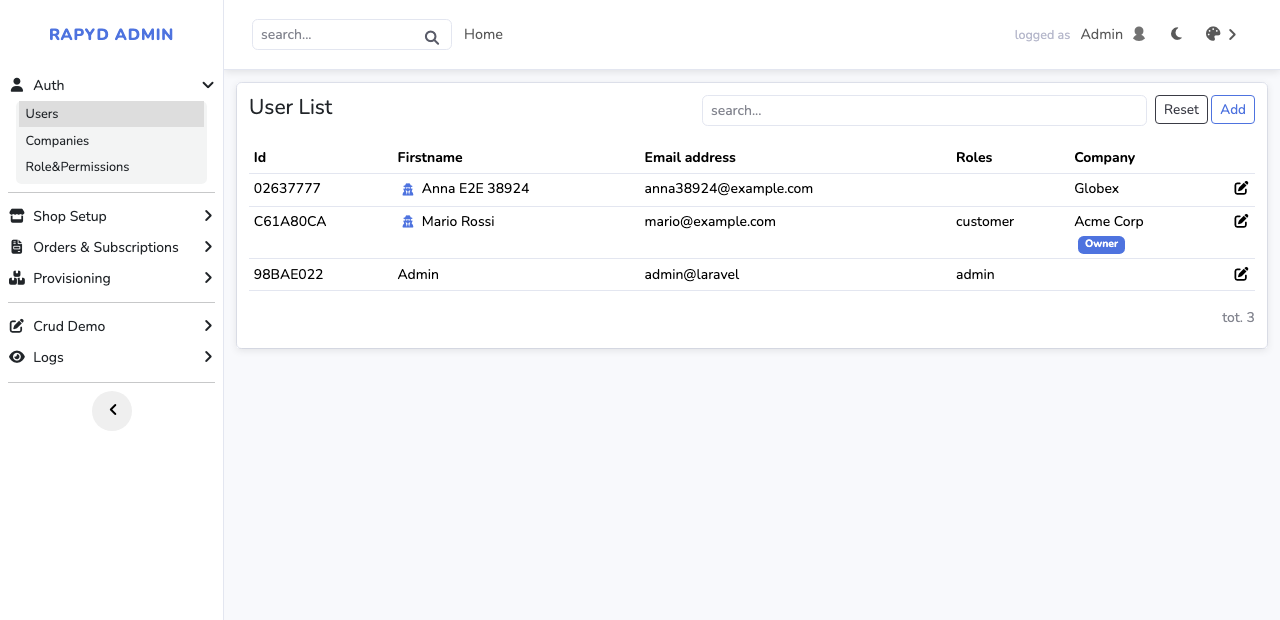
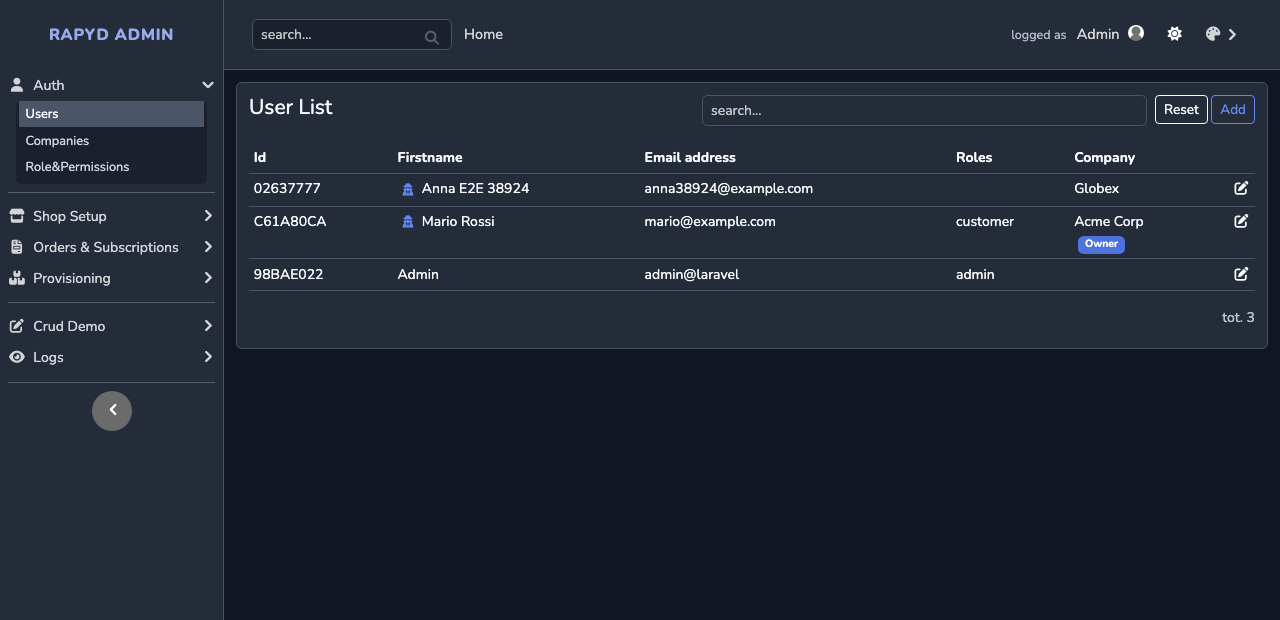
Bundled theme
active sidebar layout, ships with rapyd-admin. Light on the left, dark on the right.
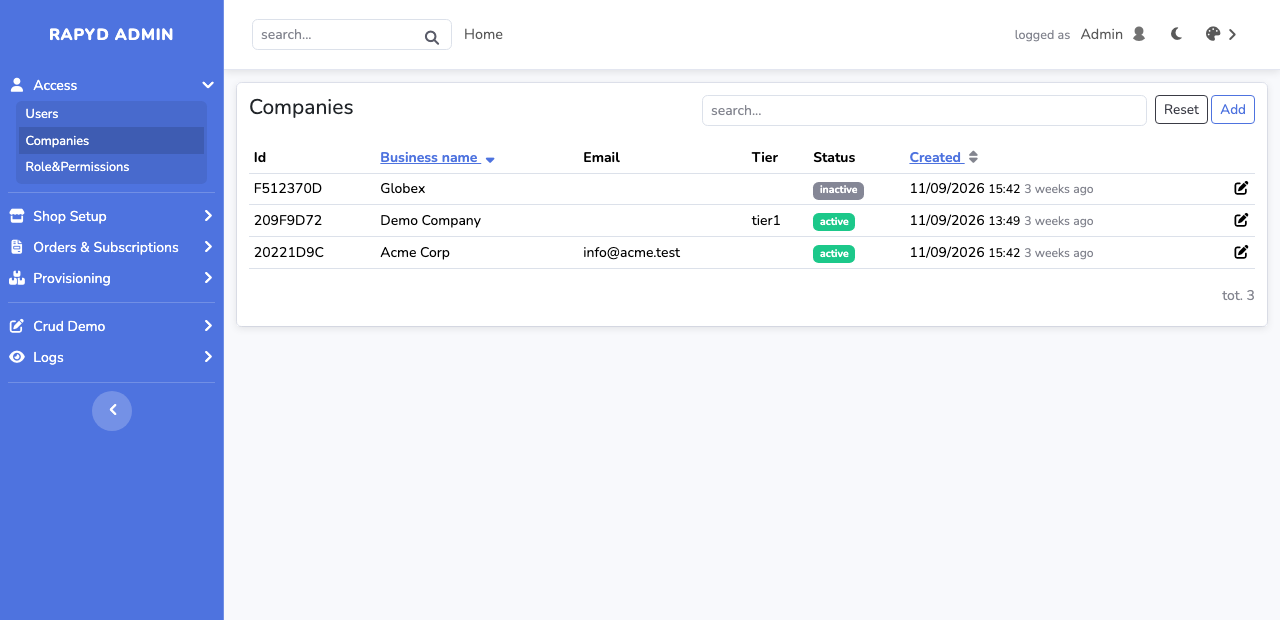
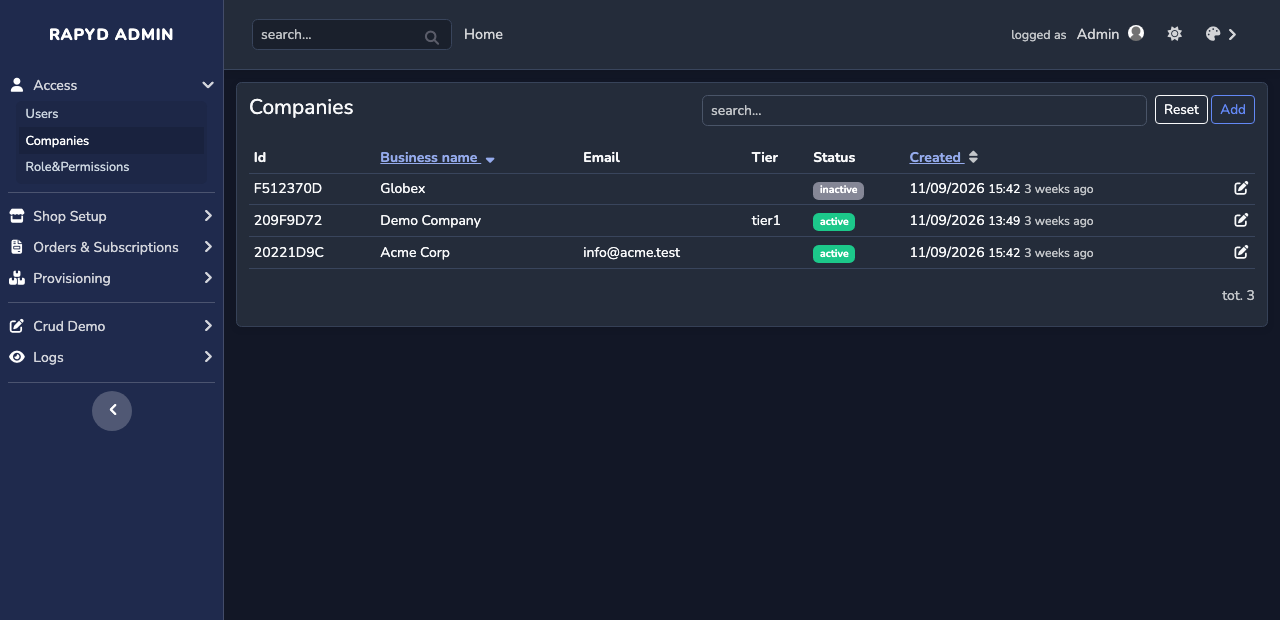
Desk
zofe/theme-desk
the same layout in the classic admin colours: blue sidebar. Light on the left, dark on the right.
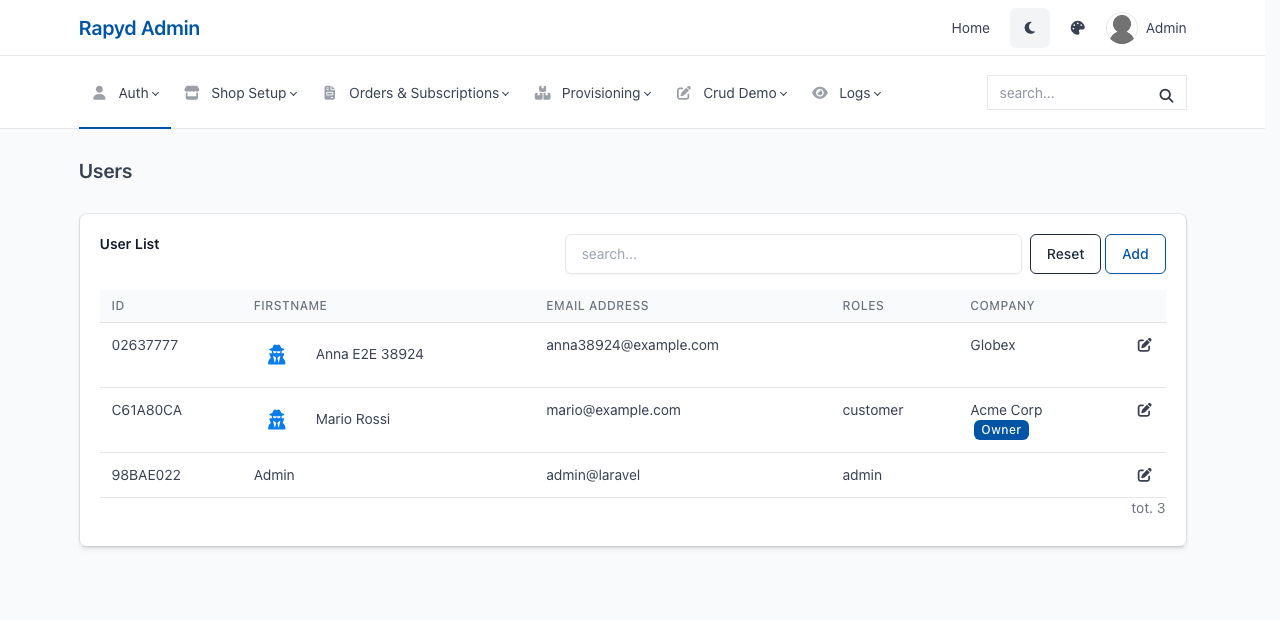
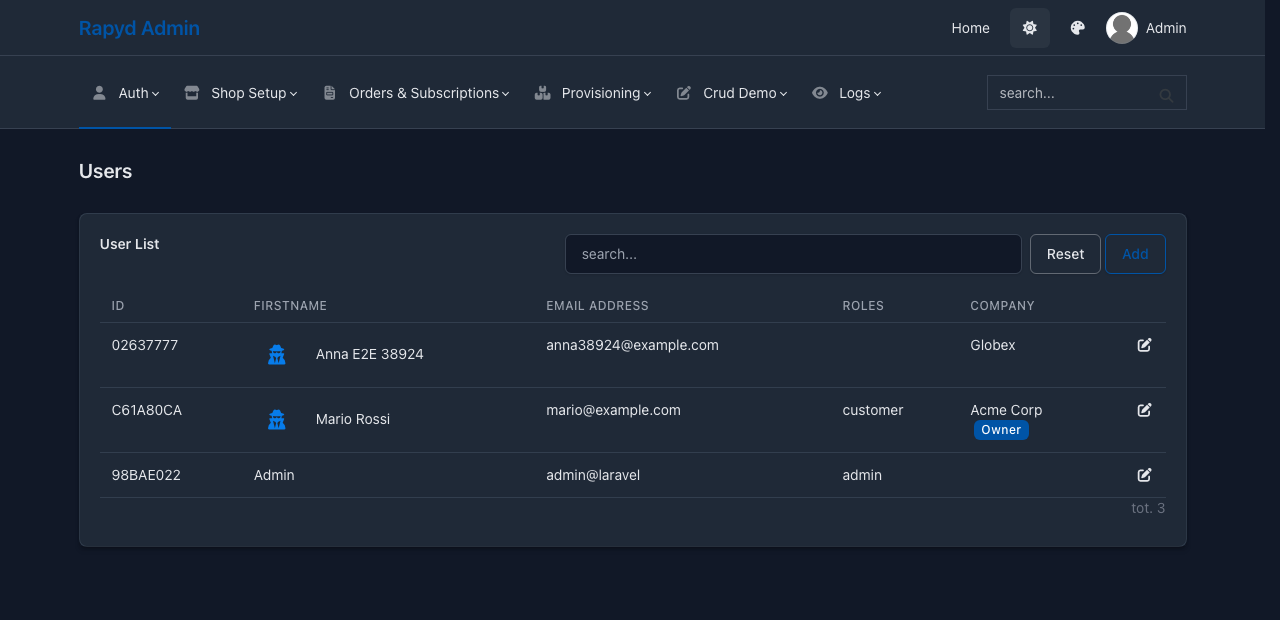
Tabler
zofe/theme-tabler
horizontal header, built on the Tabler admin template. Light on the left, dark on the right.
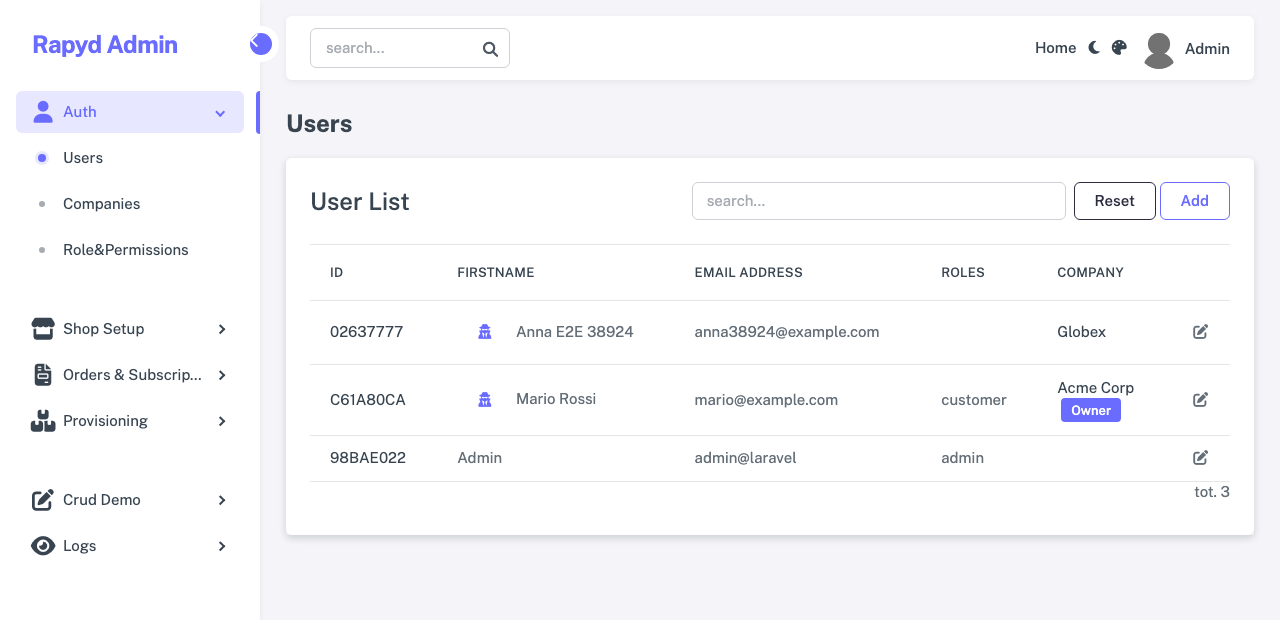
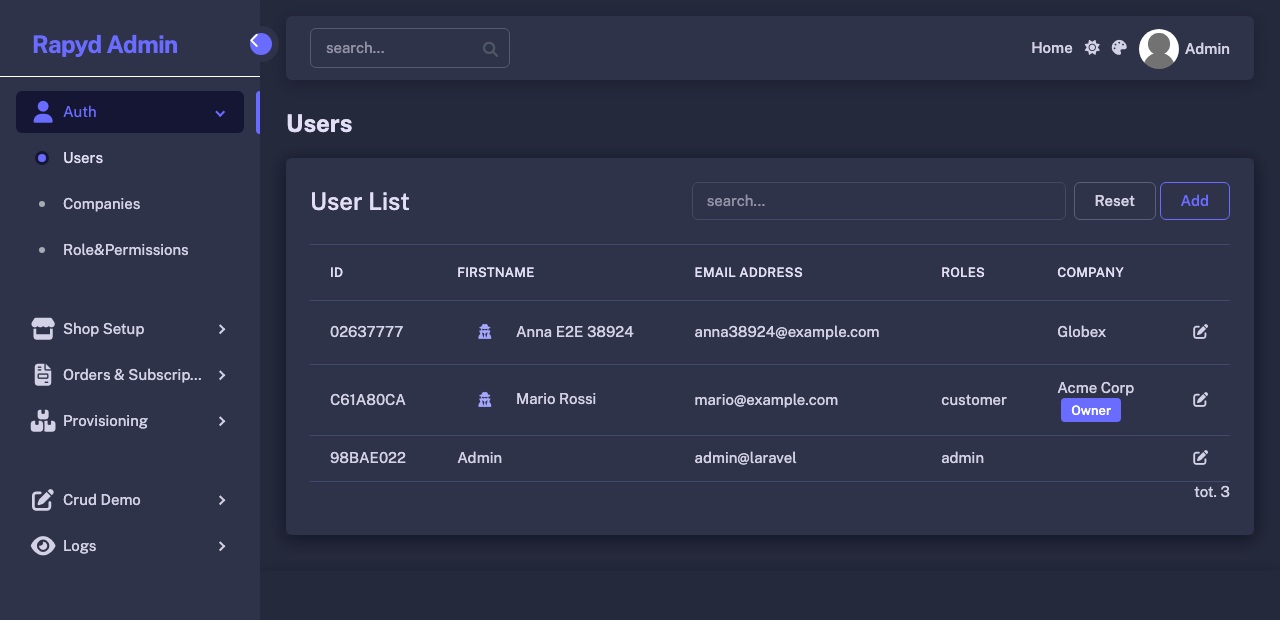
Sneat
zofe/theme-sneat
vertical menu, built on the Sneat free template. Light on the left, dark on the right.
Same page, same module code, same data: only the theme package changes.
How it works
A contract, not a framework
Four Blade layouts (app, admin, frontend, auth) with a fixed list of regions: menu, search, user dropdown, breadcrumbs, messages, content. Modules keep calling layout::admin; php artisan rpd:theme:check verifies a theme against the list.
One line to switch
RAPYD_THEME=tabler in .env activates an installed theme. Colours are runtime tokens (RAPYD_PRIMARY, sidebar, topbar, content background), so a palette change needs no rebuild. Light and dark mode come with every theme.
Try them side by side
RAPYD_THEME_SWITCH=true lets each visitor pick a theme and keep it in the session: a palette icon in the navbar, or links like the screenshots above (?rapyd_theme=sneat). Handy while evaluating a theme or showing a customer the options.
Build your own
Start from any Bootstrap 5 HTML template. An AI agent can do most of it: hand it the template and the contract.
- Copy the bundled layouts (
src/Modules/Layout/Viewsof rapyd-admin) into a new package that extendsRapydThemeServiceProvider. - Map the template regions onto the four layouts; keep the include names, change the markup.
- Build
rapyd.css/rapyd.jswith the package Vite config: your SCSS on top of Bootstrap and the Rapyd base styles. - Run
php artisan rpd:theme:check, open the demo pages, compare with the template preview. - Publish on Packagist:
composer require, one env line, done.
$ composer require zofe/theme-tabler
$ php artisan vendor:publish --tag=rapyd-theme-tabler
$ echo "RAPYD_THEME=tabler" >> .env
Free and premium
Free themes
Open source, MIT, one repository each on GitHub and Packagist. Today: the bundled look (sidebar), Desk (the same layout in the classic admin colours: blue sidebar), Tabler (horizontal header, built on the Tabler admin template) and Sneat (vertical menu, built on the Sneat free template).
Premium themes
Coming with a subscription: themes with extra pages for the paid modules (billing, subscriptions, invoices, support), delivered through a private Composer repository together with the premium modules. Same contract, same one-line switch.