Start from a clean Laravel project
or add it to the one you already have
~
composer create-project laravel/laravel myapp
Application ready! Build something amazing.
~
cd myapp
~
~
composer require zofe/rapyd-admin -W
~
php artisan rpd:make:setup
✓ .env, database and configs published
✓ migrations run, roles and permissions seeded
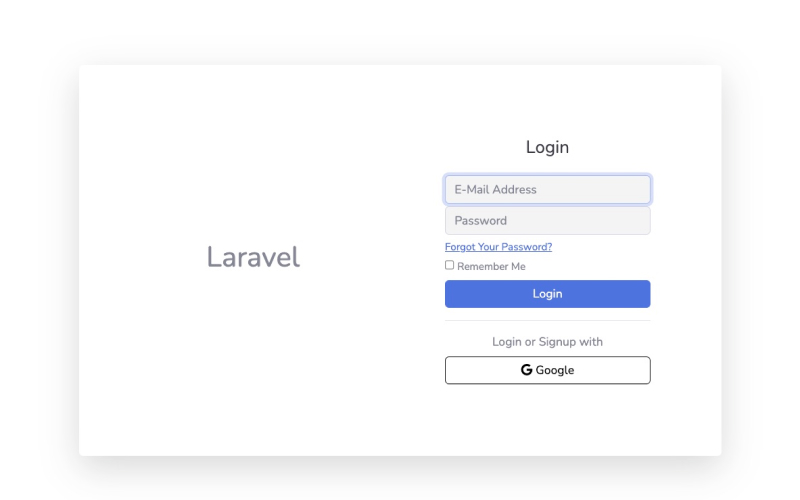
✓ login: admin@laravel / admin
~
~
php artisan rpd:make all Article --module=Blog
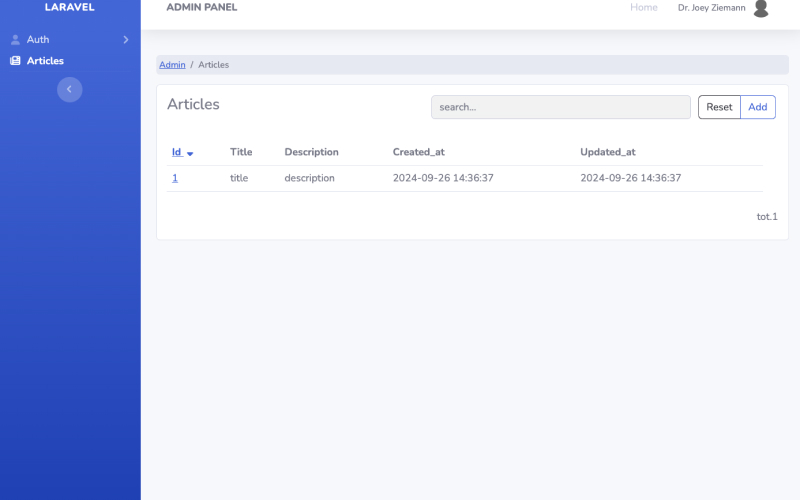
✓ app/Modules/Blog/Livewire/ArticlesTable.php
✓ app/Modules/Blog/Livewire/ArticlesView.php
✓ app/Modules/Blog/Livewire/ArticlesEdit.php
✓ views, routes.php, config.php and the sidebar entry
~
~
composer require zofe/ai-module
✓ a chat in the layout, tools the modules declare
✓ personal data masked before they leave
✓ a daily budget and a ledger of the costs
~
One package — layout, auth, roles, companies included
Fortify, spatie/permission, Bootstrap 5 and Livewire 4 out of the box
Generate CRUD modules with a single command
Livewire components, views, routes and a sidebar entry — plain files, yours to edit
An AI assistant inside your application
it reads only what you let it read, and what it costs stays visible
Try the live demo
no sign-up, resets every hour
Why Rapyd Admin
A different take on Laravel admin panels
Plain Livewire and Blade files in your codebase, the foundations of a SaaS bundled, built with AI agents, and an AI assistant inside the application when you want one.
Plain code, no DSL
Unlike Nova, Filament or Backpack, the generators write ordinary Livewire components and Blade views into app/Modules: files you read, edit and own.
Built for SaaS from day one
Login, 2FA and Google sign-in, roles and permissions, multi-tenant companies with 1–3 tiers, activity log, workflows. Bundled, not optional extras.
Built with AI agents
Flat module folders with consistent names, a brief for the agent, the guideline and skills it follows, and a verification loop it runs by itself.
AI inside the application
A chat for visitors or operators, tools the modules declare, personal data masked before they leave, a daily budget and a ledger of the costs.
Quick start
Three commands to a full admin panel
On a fresh Laravel project, or on the one you already have.
1
A Laravel project
Laravel 12 or 13, PHP 8.2 or later.
Laravel 12 or 13, PHP 8.2 or later.
2
The package
One dependency: layout, auth, roles, companies and the generators.
One dependency: layout, auth, roles, companies and the generators.
3
The setup
.env, database, migrations, roles and the first admin: log in and start.
.env, database, migrations, roles and the first admin: log in and start.
$ composer create-project laravel/laravel myapp && cd myapp
$ composer require zofe/rapyd-admin -W
$ php artisan rpd:make:setup
AI in your application
An assistant that reads only what you let it read
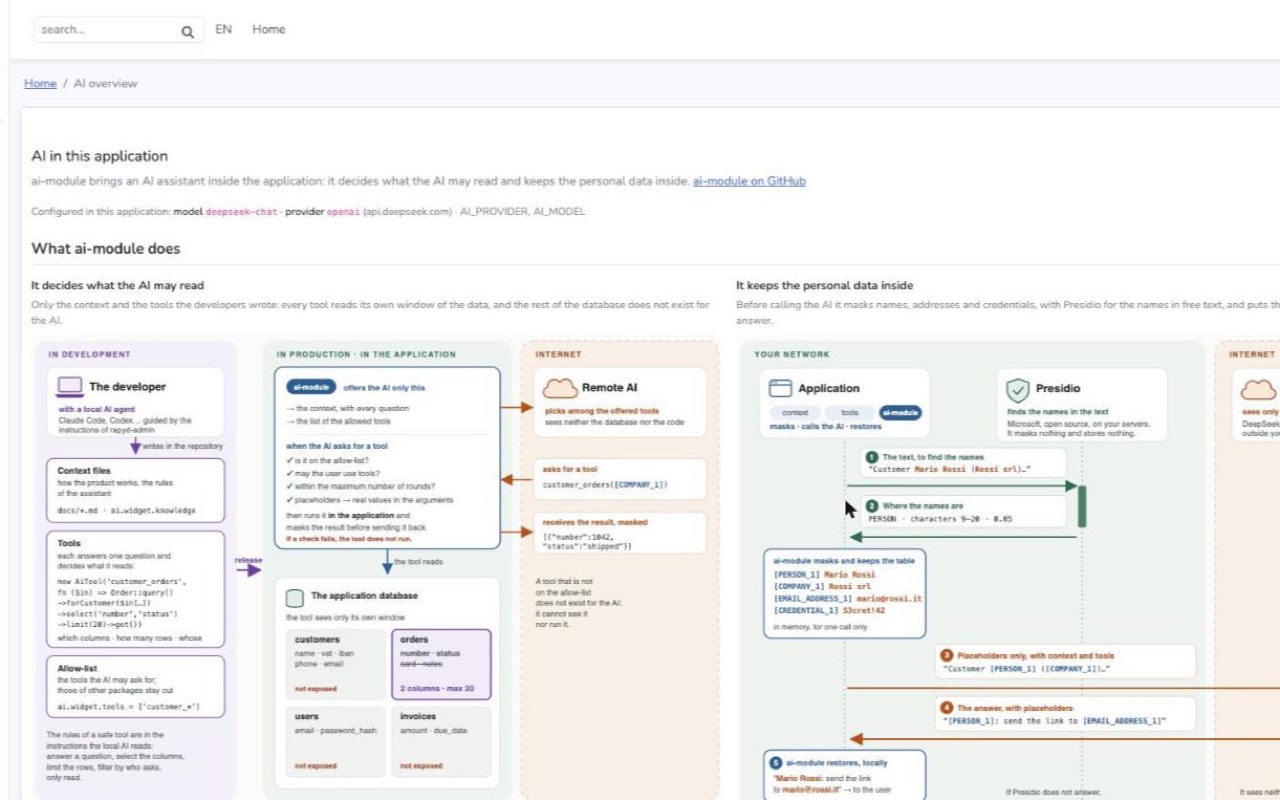
ai-module brings the AI inside: a chat in any layout, one service for Anthropic, OpenAI-compatible APIs and Ollama, and the rules that keep the data in the application.
The developers decide, in the code. The assistant is offered only the tools the modules declare: each one reads its own window of the data, the rest of the database does not exist for it.
Personal data stay inside. Names, addresses and credentials become placeholders before a text leaves, with Presidio for the names in free text; the answer gets the real values back.
What it costs stays visible. A daily budget stops the spend; a ledger keeps what each activity cost, by day and by month.
On this site the chat answers about the product and the demo data: ask it what the demo contains.

What's included
Seven bundled modules v9.22.0
No extra packages needed. Copy a module into your app when you need to change it deeply.
Auth
Login, registration, 2FA, Google sign-in; users, roles and permissions; impersonation.
Companies
Multi-tenant hierarchy (1–3 tiers), owner and member roles, data scoping.
Addresses
Postal addresses on any model, with an embeddable editor.
Workflow
State machines on your models: transition buttons, history, the process as a diagram.
Log
Application log viewer with AI error analysis, activity log of what users do.
Search
Global search in the navbar across the models you configure.
Layout
Bootstrap 5.3 admin shell with dark mode, colours from .env, themes from any Bootstrap template.
AI separate package
zofe/ai-module: a chat, tools, the personal data filter, budget and ledger.
Generators: php artisan rpd:make all Article --module=Blog scaffolds table, detail page, form, routes and menu entry.
See it running
The demo resets every hour: tables, forms, the chat and the AI overview, no sign-up.